
Autochartist review: Autochartist and Trading Central vs a full trade plan, for UK and UAE traders
 Systemly Team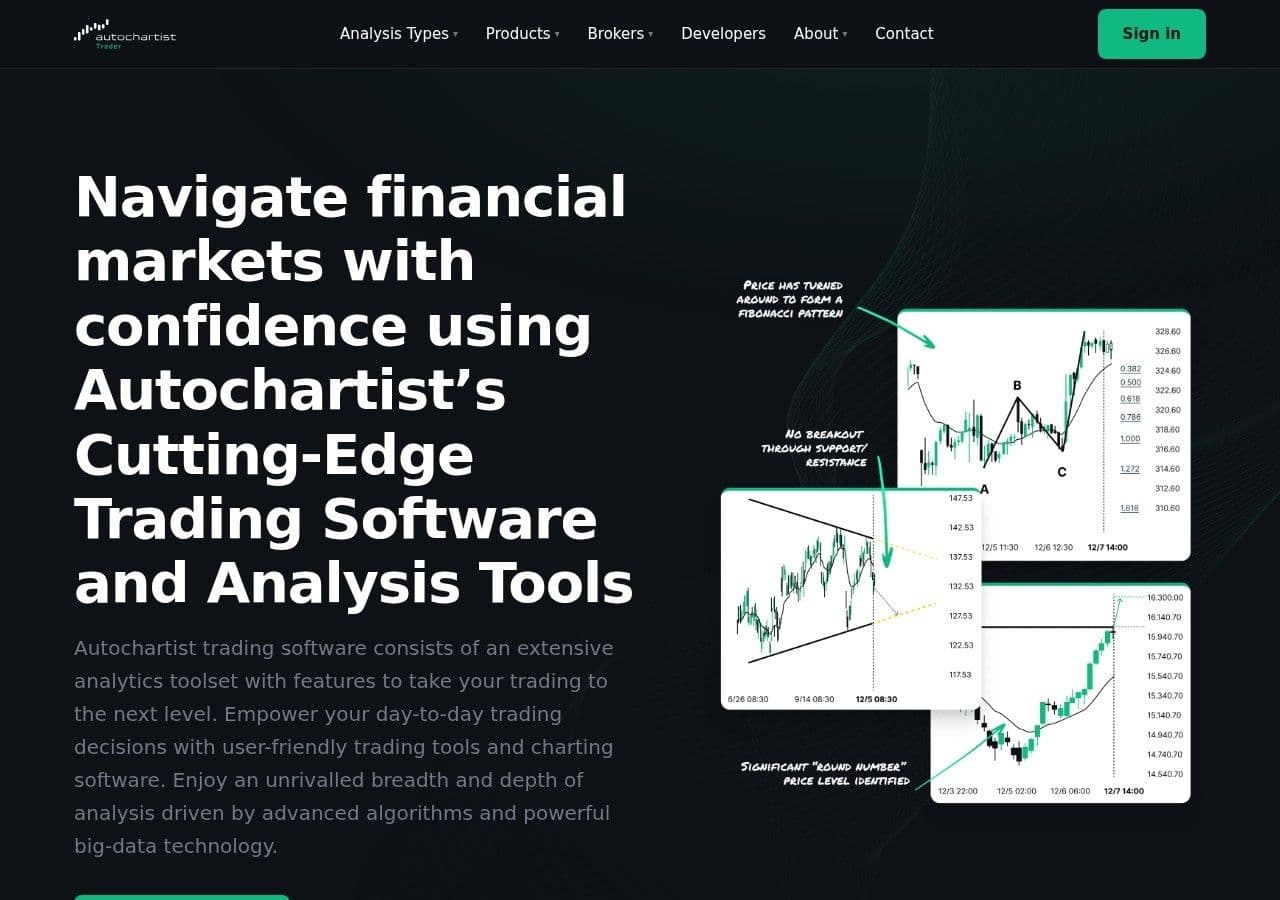
Autochartist "continuously scans the markets to highlight thousands of trade ideas each month". That is how CMC Markets UK describes the pattern scanner it includes free on its MT4 platform.
Thousands of ideas a month is a generous gift. It is also a problem, if you are a trader with £2,000 in the account and room for perhaps three or four trades a week. The scanner has done the looking. It has not done the choosing, the sizing or the following up, and those are the parts where many accounts are won or lost.
This article looks at the two research tools UK and UAE brokers most often bundle with their platforms, Autochartist and Trading Central, and compares them with a full trade plan.
Quick answer: Autochartist is an automated scanner that finds chart patterns, Fibonacci patterns and key levels, with volatility statistics to help set stops and targets. Trading Central supplies analyst-built technical and fundamental research, and since September 2025 an AI assistant called FIBI. Both usually come free through a broker and are best for generating ideas and getting a second opinion. Neither, as typically bundled, sizes the trade for your account, prices the cost at the stop, says "no trade" when the setup is weak, or follows the idea afterwards. Systemly does those parts. Many traders will sensibly use both.
Systemly publishes this comparison. We have tried to be fair, and every competitor fact below is sourced and dated 13 October 2026.
What is Autochartist?
Autochartist is an automated chart-pattern and key-level scanner that has been supplied to brokers since 2004. Its clients have included Saxo, OANDA, Swissquote, Pepperstone and IC Markets. The trading technology firm oneZero bought it in February 2025, according to Finance Magnates, as republished by Coinspectator.
On CMC Markets UK's MT4 platform, Autochartist offers:
- scanning for chart patterns such as channels, wedges, triangles and flags
- "built-in Fibonacci scans" for retracements, extensions, ABCD, Butterfly and Gartley patterns
- key support and resistance levels
- "real-time alerts, 24 hours a day"
- "statistical analysis of volatility over the last six months", to help set stop-loss and take-profit levels
CMC's page says it comes free with a CMC Markets account on its MT4 platform. Autochartist's own site also lists a Volatility Analysis product, a Market Scanner, Economic Event Analysis and a Risk Calculator for managing exposure in leveraged markets. Which of those your broker includes varies, so check your own platform.
A review on DayTrading.com puts it fairly: Autochartist "shouldn't be considered a sure way to improve trading results." The same caution applies to paid pattern tools, which we cover in TrendSpider vs Systemly.
What is Trading Central?
Trading Central is a research firm that has supplied analysis to brokers, rather than to the public, since 1999. Its products include Technical Insight, TC Options Insight, TC Fundamental Insight and TC Market Buzz, delivered into broker platforms through iFrames, APIs and widgets. Trading Central's site says its insights are "not sold directly, but can be found through the world's leading global brokerage platforms", and that its analysts are based in Paris, Ottawa and Hong Kong.
On 16 September 2025 it launched FIBI ("Financial Insight Bot Interface"), an AI assistant built on its own natural language processing, language model and generative AI technology, running across those research tools. The release, published on FXStreet, describes it as offering "compliance-friendly market insights". Chief executive Alain Pellier said: "In a world flooded with generic AI content, FIBI offers a focused, trustworthy experience that's built for action." Investing.com took a similar step with an AI that returns an entry, stop and target, which we compare in Investing.com AI Chart Analysis vs Systemly.
Why every broker now has one
Pattern detection has become "table stakes" for brokers, as a Finance Magnates headline put it in April 2026. By April 2026 Acuity Trading had added automated chart-pattern recognition to its AnalysisIQ product, covering more than 128 instruments, and brokers can embed it in MT4, MT5, cTrader and their own platforms.
The UAE detail in that report is worth noticing. Trade247 added Acuity's bundle under UAE and Mauritius licences. Traders' Hub integrated AnalysisIQ across its UAE and Seychelles operations, but its trade signals were limited to the Seychelles entity pending local clearance. In other words, what you see depends on which entity of the broker holds your account, and a UAE resident can be shown less than a client elsewhere. IG lists "Trading signals" as a tool for UK clients, but we could not confirm which provider supplies them today. Our guide to how forex trading signals work explains what such a feed usually contains.
Who pays for "free" analysis?
The common mistake is to treat broker-bundled research as if it were independent. The consequence is subtle. Nobody is lying to you, but the tool was chosen and paid for by a firm whose revenue comes from your trading, in spreads, commissions and overnight financing. A scanner that produces thousands of ideas a month suits that model well. A tool that often says "nothing worth doing today" suits it less.
Think of it like the free styling advice in a clothes shop. The advice can be excellent, and the stylist may know far more than you. But the shop pays for the stylist, and you will rarely hear "you have enough clothes".
That is not a criticism of Autochartist or Trading Central. It is a reason to put a check of your own between the idea and the order. Our piece on the true cost of free forex signals follows the money for every kind of free signal.
What an alert gives you, and what a plan adds
Below is a generic illustration of the fields in a typical pattern alert next to the fields in a Systemly plan. Neither is a real trade.
- Market and timeframe: Typical pattern alert: GBP/USD, 4-hour; Systemly plan: GBP/USD, with the style's three timeframes read
- What happened: Typical pattern alert: Triangle breakout, upward; Systemly plan: The trade drawn on a live chart: position box, entry, stop, targets
- Where price might go: Typical pattern alert: A forecast zone or target area; Systemly plan: A target ladder, repaired by fixed rules
- Where the idea is wrong: Typical pattern alert: Often left to you, or suggested from volatility statistics; Systemly plan: A stop, with a floor under its width set by the server
- What to do now: Typical pattern alert: Not stated; Systemly plan: A numbered list of moves, one marked current, with a countdown to the next decision
- Size for your account: Typical pattern alert: Not stated (a Risk Calculator may be offered separately); Systemly plan: Lot size printed on the card
- Cost in money at the stop: Typical pattern alert: Not stated; Systemly plan: One money figure, trading cost included
- When to stand aside: Typical pattern alert: Not stated; Systemly plan: "No trade", with the failed checks listed
- Afterwards: Typical pattern alert: Not tracked per idea in what we read; Systemly plan: Every plan tracked; losses logged; nothing settled until price fills the entry
Autochartist's volatility statistics are genuinely useful for the fourth row. Knowing that GBP/USD has typically moved a certain distance in four hours over the last six months is a better basis for a stop than a round number. The plan's job is to turn that kind of information into a decision you can act on.
A worked example: one triangle, two ways to size it
Say Autochartist flags an upward triangle breakout on GBP/USD, and you decide the idea is wrong 40 pips below your entry. Your account is £2,000 and you risk 0.5% per trade, which is £10.
If you spread bet (UK only):
- A spread bet is priced in pounds per point. On GBP/USD one point is one pip.
- £10 ÷ 40 points = £0.25 per point.
- If the stop is hit, you lose 40 × £0.25 = £10, plus the spread you paid to get in.
If you trade a CFD in lots (UK or UAE), assume GBP/USD at 1.34 for illustration:
- £10 is about $13.40.
- On GBP/USD, one pip on a standard lot is worth $10, so a 40-pip stop costs $400 per lot.
- $13.40 ÷ $400 = 0.0335 lots, which rounds down to 0.03.
- The real risk is 0.03 × $400 = $12.00, about £8.96, before the spread.
Two things go wrong for beginners here. Some skip the sum and trade 0.30 lots because the alert felt strong, which risks $120 at the stop, about £90, or 4.5% of the account on one pattern. Others place the stop just under the triangle where everyone else's sits, rather than where the idea is actually wrong. Our chart patterns guide covers where pattern stops usually belong, and the free Risk Doctor check will test the size before you place it.
Alerts around the clock: UK and Dubai
Autochartist sends alerts "24 hours a day". Markets do not trade equally around the clock, and an alert at the wrong hour can tempt you into a thin market.
- Tokyo: UK time: 01:00 to 10:00; Dubai time: 04:00 to 13:00
- London: UK time: 08:00 to 17:00; Dubai time: 11:00 to 20:00
- London and New York overlap: UK time: 13:00 to 17:00; Dubai time: 16:00 to 20:00
- New York close: UK time: 22:00; Dubai time: 01:00 (next day)
From 1 November 2026 the London and New York overlap moves to 17:00 to 21:00 in Dubai, while it stays at 13:00 to 17:00 in the UK. In the week of 25 to 31 October, when the UK has changed its clocks and the US has not, the overlap runs 12:00 to 17:00 UK and 16:00 to 21:00 Dubai. These times use the BabyPips session convention and vary slightly between sources.
Systemly shows sessions in the viewer's own time zone, following London and New York daylight saving, and its countdown ring counts to the next useful moment (a candle close, a session open or the end of the entry window). That answers the question an alert at 03:00 leaves open: act now, or wait for London?
The comparison at a glance
- What it is: Autochartist: Automated pattern and key-level scanner; Trading Central: Analyst research plus FIBI AI assistant; Systemly: Trade-planning app
- How you get it: Autochartist: Through a broker, usually free; Trading Central: Through a broker, not sold directly; Systemly: Direct; free plan and paid plans with a 3-day trial
- Input: Autochartist: Runs inside your broker's platform (MT4 at CMC); data source not detailed; Trading Central: Analysts and models; Systemly: Live price bars; scan refused if stale or gapped
- Markets: Autochartist: Varies by broker; Trading Central: Varies by broker; includes stocks and options research; Systemly: Free and Starter: seven major forex pairs and gold. Plus and Pro add more
- Ideas per month: Autochartist: "thousands" (CMC); Trading Central: Not stated; Systemly: One plan per scan; "no trade" is a possible answer
- Volatility or stop guidance: Autochartist: Six months of volatility statistics; Trading Central: Analyst levels; Systemly: Stop with a floor under its width
- Size for your account: Autochartist: Separate Risk Calculator product, if your broker offers it; Trading Central: Not described; Systemly: Yes
- Costs in money at the stop: Autochartist: Not described; Trading Central: Not described; Systemly: Yes
- Follow-up record: Autochartist: Not found per idea; Trading Central: Not found per idea; Systemly: Every plan tracked, losses logged
- Breadth of research: Autochartist: Wide; Trading Central: Widest: technical, fundamental and options research, plus TC Market Buzz; Systemly: Narrow by design
Trading Central wins the breadth row clearly, and Autochartist wins on how many ideas it surfaces. Systemly is narrower and more opinionated, and that is the point of it.
Where Autochartist or Trading Central is the better choice
Use Autochartist when you want a machine to watch dozens of markets for patterns you would miss, and you already know how to size and manage a trade. Its volatility statistics are a sensible input for stop placement that many beginners never think to look at.
Use Trading Central when you want analyst research across technical, fundamental and options views, including stocks and indices, inside the platform you already trade on. If your broker includes FIBI, it is a reasonable way to ask questions about that research in plain language.
Both cost you nothing extra if your broker already includes them, and there is no reason to stop reading them.
Where Systemly is the better choice
Systemly (systemly.ai) is a UK-built forex and gold trade-planning app that turns live price data into a complete trade plan, with entry, stop, targets, position size and plain-English reasoning, and teaches the terms in a built-in academy of 32 courses.
It is the better choice when an idea has caught your eye and you need to know whether it is a trade for your account. Fixed rules check the AI's plan: the AI reads the chart, and the code owns the trade. The strategy's own checks can turn a plan into "no trade", and where stored, Systemly shows the price above or below that would change the answer, with an "Alert me" button, on 13 measured markets. Since 6 October 2026, a limit, stop or wait-for-close entry settles nothing until price actually fills it. On every plan, including free, you can also practise a plan as a paper trade before you risk money. For how to judge any source of ideas, see our guide on how to judge a forex signal provider, and for the paid-indicator end of the market, our LuxAlgo comparison.
How we compared
We read CMC Markets UK's Autochartist page, Autochartist's and Trading Central's own websites, the September 2025 FIBI release and an April 2026 Finance Magnates report on broker pattern tools, all on 13 October 2026. We did not have broker logins to test every configuration, and both products vary by broker and region, so your version may include more or less than we describe. We compared them with Systemly's product notes as of 8 October 2026.
FAQ
Is Autochartist free?
Usually, through a broker. CMC Markets UK says it comes free with an account on its MT4 platform. Autochartist is supplied to brokers rather than sold to the public in most cases, and the features you see depend on the broker and the region of your account. Check your own platform's tools or plugins menu.
What does Autochartist actually do?
It scans markets for chart patterns (such as triangles, wedges, channels and flags), Fibonacci patterns and key support and resistance levels, and sends alerts around the clock. CMC's version adds six months of volatility statistics to help set stop-loss and take-profit levels. It finds ideas; you still decide, size and manage the trade.
Is Trading Central the same as Autochartist?
No. Autochartist is an automated pattern scanner. Trading Central is a research firm, working with brokers since 1999, whose analysts and models produce technical, fundamental and options research, plus its TC Market Buzz product, for brokers. Since September 2025 it has also offered FIBI, an AI assistant across those tools. Both reach traders through brokers, not directly.
Are Autochartist signals reliable?
We found no public, per-idea record of outcomes for Autochartist or Trading Central in the material we read. A DayTrading.com review says Autochartist "shouldn't be considered a sure way to improve trading results." Treat pattern alerts as ideas to check, not instructions. Ask any provider how they record ideas that fail.
Can I get Autochartist in the UAE?
Possibly, through a UAE-licensed broker, but it varies. A 2026 report noted one broker whose Acuity trade signals were limited to its Seychelles entity pending clearance in the UAE. Ask your broker which tools your specific account entity includes, and check the regulator: the DFSA, the FSRA or the CMA (formerly the SCA).
Can I use Autochartist and Systemly together?
Yes. A common pattern is to let a scanner find an idea, then scan the same market in Systemly to see whether its checks agree, what size fits your balance and what the trade costs at the stop. If Systemly says "no trade", it lists which checks failed.
Does Systemly scan for chart patterns?
Not in the Autochartist sense. Systemly draws chart layers automatically (swings, sessions, fair value gaps and inverse gaps) on Starter and above, and builds a plan from live price data when you press Generate. It is narrower than a pattern scanner and produces one plan, or "no trade", per scan.
From an idea to a plan
Next time a pattern alert lands, open the same market on Systemly and compare the plan with the alert, or browse real plans in the community scans feed. The Systemly Academy teaches how stops and sizes are set, in lessons you have to pass.
Sources
- CMC Markets UK, Autochartist on MT4
- Autochartist website
- Acuity catches up to Autochartist as pattern detection becomes table stakes (Finance Magnates via Coinspectator), 27 April 2026
- DayTrading.com review mentioning Autochartist, 26 September 2026
- Trading Central website
- Trading Central launches FIBI, FXStreet, 16 September 2025
- IG trading charts and tools (UK)
- BabyPips forex trading sessions
- UK clock changes
- US clock changes 2026
- Dubai time zone
- SCA renamed CMA, Regulation Tomorrow
Trading forex and CFDs carries a high risk of losing money, and most retail accounts do. Systemly is an educational and trade-planning tool. It does not provide financial advice or personal recommendations, and it is not authorised by the FCA or licensed in the UAE to do so. Past outcomes do not predict future results.