
TradingView AI Copilot vs Systemly: an assistant that does what you ask, or a plan that checks itself
 Systemly Team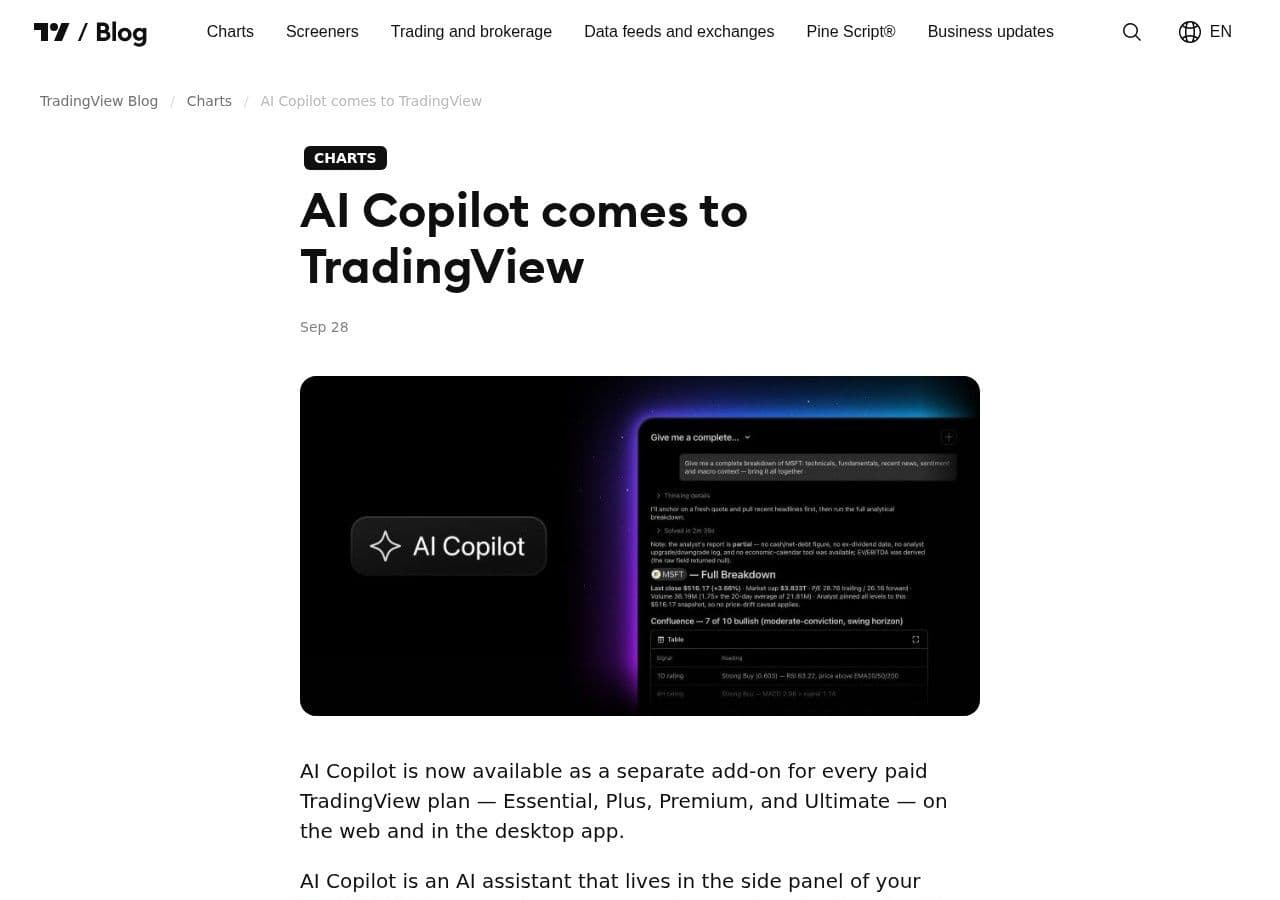
A German trader paid for TradingView's new AI Copilot at the end of September 2026 and asked it to analyse gold. It produced an analysis. It also missed a low near $3,943, a level that mattered for where a stop should go (Kagels Trading, September 2026). In the same test, a Pine Script indicator it wrote never fired, and a price alert it set used the wrong resolution.
None of that makes Copilot a bad product. It makes it an assistant. It does what you ask, quickly, inside the chart you already use. Whether the answer is right is still your job.
That is the real choice behind this comparison. TradingView AI Copilot is an assistant that follows instructions. Systemly is a planning tool whose AI draft is checked by fixed rules before you see it, and which says "no trade" when the checks fail.
Quick answer: TradingView AI Copilot is a paid add-on, launched on 28 September 2026, that lives in the Supercharts side panel and switches symbols, adds indicators, draws levels, creates alerts and writes Pine Script on request. It suits traders who know what they want and want it done faster. Systemly suits traders who want a complete trade plan for their own account, sized and costed, with fixed rules checking the AI and an honest "no trade" when nothing qualifies. Many traders will use both.
Systemly publishes this comparison. We have tried to be fair, and every competitor fact below is sourced and dated 13 October 2026.
What is TradingView AI Copilot?
TradingView AI Copilot is "an AI assistant that lives in the side panel of your Supercharts". It launched on 28 September 2026. According to TradingView's announcement, it can switch symbols, add indicators, draw levels, create alerts and watchlists, and write Pine Script (TradingView blog).
The terms, from the same announcement:
- It is a separate monthly add-on for Essential, Plus, Premium and Ultimate, including trials.
- It is not available on the free Basic plan.
- "AI Copilot isn't available in the mobile apps yet."
- It has "a monthly usage limit that most users won't ever reach", with no rollover.
- Its disclaimer tells users to "treat its output as analysis rather than financial advice."
TradingView's announcement does not state a price. Some users have reported what they paid, but we have not been able to confirm an official figure, so we describe it here only as a paid add-on.
Copilot sits alongside two other AI pieces. The AI screener is capped by plan at 100, 150, 250 and 500 requests for Essential, Plus, Premium and Ultimate (TradingView pricing). And the TradingView MCP Server, in public beta since September 2026, connects a TradingView account on Essential or above to outside AI assistants such as Claude. It uses delayed market data and a limited set of tools, and TradingView describes the split plainly: TradingView "provides the numbers, the news, and the actions", and your assistant "does the thinking" (TradingView blog). Other chart AIs go further towards a trade, as our comparison of Investing.com AI Chart Analysis and Systemly shows.
What is Systemly?
Systemly (systemly.ai) is a UK-built forex and gold trade-planning app that turns live price data into a complete trade plan, with entry, stop, targets, position size and plain-English reasoning, and teaches the terms in a built-in academy of 32 courses, which we compare with an AI tutor in ChatGPT as a trading tutor vs a structured academy.
You pick a market, its chart loads, and you press Generate. In under a minute the plan opens on the same chart, drawn in place: the entry, the stop, the targets, a numbered moves card, a countdown to the next decision, and one money figure at the lot size the card prints, with trading costs included at the stop. Systemly reads live price bars, never a screenshot (we explain why in AI chart analysis: data vs a picture), and refuses to scan if the data is stale, has gaps or carries a future timestamp.
The difference, in one sentence each
Copilot does what you ask. If you ask it to draw support on gold, it draws support on gold. If you ask a poor question, you get a quick answer to a poor question.
Systemly does one job its own way. The AI drafts a plan, and fixed rules then check it: the server repairs the target ladder, sets a floor under the stop width and recomputes the confidence score. The strategy's own checks, such as enough confluence and trend alignment, can turn the plan into "no trade". The AI reads the chart. The code owns the trade.
The common mistake is to treat a fluent answer as a checked one. The consequence is a stop placed at a level the assistant drew, with no rule underneath it. Think of it like a sat-nav that reads out any route you type in, against one that refuses to send you down a road it knows is closed. Both talk to you. Only one has a rule it will not break.
Side by side
- What it is: TradingView AI Copilot: AI assistant in the chart side panel; Systemly: Trade-planning app with the plan drawn on a live chart
- Who starts the work: TradingView AI Copilot: You, with a request; Systemly: You pick a market and press Generate
- Plans needed: TradingView AI Copilot: Essential or above, plus a paid add-on; Systemly: Free plan; paid plans Starter, Plus and Pro, each with a 3-day trial
- Mobile: TradingView AI Copilot: Not in the mobile apps yet; Systemly: Plan opens as a sheet under a live chart on phones
- Markets: TradingView AI Copilot: Anything TradingView charts; Systemly: Major forex pairs and gold on Free and Starter; more on Plus and Pro
- Position size for your account: TradingView AI Copilot: Not stated by TradingView; Systemly: One money figure at the printed lot size
- Trading costs: TradingView AI Copilot: Not stated by TradingView; Systemly: Included at the stop
- When nothing qualifies: TradingView AI Copilot: Answers whatever you ask; Systemly: "No trade", with the failed checks listed
- Same question twice: TradingView AI Copilot: Not stated by TradingView; Systemly: Same market and style within 15 minutes reopens the last answer
- Writes Pine Script: TradingView AI Copilot: Yes, on request; Systemly: No; exports a fixed plan script to TradingView (Starter and above)
- Drawing and screening tools: TradingView AI Copilot: Full TradingView toolset; Systemly: Narrow: chart layers and the plan only
- Record afterwards: TradingView AI Copilot: Not stated by TradingView; Systemly: Every plan tracked; losses logged
The last three rows matter. Copilot can write scripts you describe and work across the whole of TradingView. Systemly cannot. Its export is one script that draws its own plan.
A worked example: why the stop decides the size
Copilot's missed gold low is a small error with a large knock-on, because the stop sets the trade size. Here is the arithmetic, with stated assumptions: one standard gold lot is 100 ounces (check your broker's contract), and £1 buys $1.34 for illustration.
A £1,000 account risking 1% can lose £10, or about $13.40.
- With a $5.00 stop, one lot loses $5.00 × 100 = $500. So $13.40 ÷ $500 = 0.0268 lots. Most brokers' minimum step is 0.01, so you round down to 0.02. Real risk: 0.02 × $500 = $10.00, about £7.46, or 0.75% of the account.
- With a $12.00 stop, one lot loses $1,200. So $13.40 ÷ $1,200 = 0.0112 lots, which rounds down to 0.01. Real risk: 0.01 × $1,200 = $12.00, about £8.96, or 0.9%.
Widen the stop from $5 to $12 and the calculated size more than halves. An assistant that draws a level has not done this sum. A Systemly plan prints the lot and one money figure for that lot, costs included, and warns you when the risk looks too large for the account. If you want to check any trade by hand first, the free Risk Doctor position-size check does it before you place it.
What it costs to get Copilot in the UK and UAE
Copilot needs a paid plan first. The cheapest is Essential, at $12.95 a month billed annually, or $155.40 a year (TradingView pricing). TradingView has collected VAT from UK users since 24 May 2023 and from UAE users since 14 March 2023 (TradingView support).
- Essential, annual, before VAT: UK (20% VAT): $155.40; UAE (5% VAT): $155.40
- VAT: UK (20% VAT): $31.08; UAE (5% VAT): $7.77
- Essential, annual, with VAT: UK (20% VAT): $186.48; UAE (5% VAT): $163.17
- Rough local equivalent: UK (20% VAT): about £139 at an assumed $1.34 to £1; UAE (5% VAT): about AED 599 at the official peg of AED 3.6725 to $1
- AI Copilot add-on: UK (20% VAT): Extra, price not officially published; UAE (5% VAT): Extra, price not officially published
Whether TradingView bills UK and UAE users in dollars or local currency is not confirmed, so treat the local figures as a guide. VAT is likely to apply to the add-on too, as it does to the plan.
Where TradingView AI Copilot is the better choice
Copilot is the better choice if you already know what you want and want it done faster. Setting ten alerts, building a watchlist, adding three indicators to four charts or writing a first draft of a Pine Script are all chores it can take off you. TradingView has more than 400 built-in indicators and strategies and over 100,000 public indicators (TradingView features), and Copilot can add from that library on request.
It is also the better choice for markets Systemly does not cover on your plan, for stock screening, and for anyone who writes their own code. If you want an outside assistant such as Claude to read your TradingView account, the MCP Server is a different and more open route, with the caveat that it uses delayed data.
TradingView's own tone here is fair. It calls Copilot's output "analysis rather than financial advice", and that is the right way to use it: as a fast pair of hands that still needs checking.
Where Systemly is the better choice
Systemly is the better choice if you want the decision built, not just the drawing. That means where to wait, where to get in, where the idea is wrong, what to do at each target, for example "close half and move your stop loss to your entry", and what it costs at your lot size. On every plan, including free, you can also place that plan as a paper trade on real prices, with spreads and costs, before you risk money.
It is also the better choice if you want an answer that does not change because you asked twice. Rescanning the same market and style within 15 minutes reopens the last answer for free, unless a major release for its currencies has come out since. Our Systemly vs ChartAnalyst AI comparison looks at the same question for a screenshot tool. And it is better if you want to know when to do nothing. A "no trade" lists which checks failed, and on 13 measured markets, for Day and Swing styles, it can draw the price that would change the answer, with an "Alert me" option.
Time is the other difference for readers in two time zones. Systemly shows times in your own zone, and the London and New York sessions follow their own daylight saving. So between 25 and 31 October 2026, when the UK has changed its clocks and the US has not, a London trader sees the overlap at 12:00 to 17:00 UK and a Dubai trader at 16:00 to 21:00, without touching a setting (BabyPips sessions).
Using both
You do not have to pick one. A sensible split is to let Systemly build and check the plan, then export it to TradingView, where the Pine Script draws it with a trade table quoting the same stop and money. That export comes with Starter and above. Copilot can then handle the chores around it, such as a watchlist of the pairs you follow. We set out the steps in how to use TradingView and Systemly together, and the wider comparison is in TradingView vs Systemly.
How we compared
We read TradingView's AI Copilot and MCP Server announcements and its pricing and VAT pages on 13 October 2026, and one independent hands-on test by a German trader. We did not test Copilot ourselves, and we have not stated a Copilot price because TradingView has not published one. Systemly features are as of October 2026, and nothing here claims a result for either product. Prices and features change, so check before you subscribe.
FAQ
What is TradingView AI Copilot?
TradingView AI Copilot is an AI assistant in the side panel of TradingView's Supercharts, launched on 28 September 2026. It can switch symbols, add indicators, draw levels, create alerts and watchlists, and write Pine Script. It is a paid monthly add-on for Essential, Plus, Premium and Ultimate plans, and TradingView says to treat its output as analysis rather than financial advice.
Is TradingView AI Copilot free?
No. Copilot is a separate paid monthly add-on, and it is not available on the free Basic plan. You need Essential or above first, which costs $12.95 a month billed annually before VAT. TradingView adds VAT for UK users at 20% and UAE users at 5%. TradingView's announcement does not publish the add-on's price.
Can I use TradingView AI Copilot on my phone?
Not yet. TradingView's announcement says "AI Copilot isn't available in the mobile apps yet." It works in the desktop and web versions of Supercharts. If you mainly trade from a phone, for example after work in Dubai during the London and New York overlap, that is a real limit for now.
Is TradingView AI Copilot accurate?
TradingView does not publish an accuracy figure, and calls the output analysis rather than advice. One independent tester found it missed a gold low that mattered for stop placement, wrote a Pine indicator that never fired, and set an alert at the wrong resolution. Treat it as a fast assistant whose work you still check.
What is the TradingView MCP Server?
The TradingView MCP Server is a public beta, launched in September 2026, that connects a TradingView account on Essential or above to outside AI assistants such as Claude. It uses delayed market data and a limited set of tools. TradingView supplies the numbers, news and actions, and your chosen assistant does the analysis.
How is Systemly different from an AI chart assistant?
An assistant does what you ask. Systemly builds one complete plan for your account from live price data, and fixed rules check the AI's draft: the server repairs the target ladder, sets a minimum stop width and recomputes the confidence score. If the strategy's checks fail, it says "no trade" and lists why. Every plan is tracked afterwards, losses included.
Can I use Systemly and TradingView together?
Yes. On Starter and above, a Systemly plan can be exported to TradingView as a Pine Script that draws the plan with a trade table quoting the same stop and money. You can keep TradingView for drawing, screening and alerts, and use Systemly for the plan itself.
See a checked plan on your own chart
If you already use TradingView, the quickest test is to build one plan and put it next to what you would have drawn yourself. Generate a free trade plan on Systemly, or browse real plans in the community feed first. For more on AI tools in trading, read our guide to the best AI trading platforms and ChatGPT signals vs a purpose-built engine.
Sources
- TradingView blog, AI Copilot now on TradingView: https://www.tradingview.com/blog/en/ai-copilot-now-on-tradingview-61231/
- TradingView blog, MCP Server public beta: https://www.tradingview.com/blog/en/tradingview-mcp-server-public-beta-60864/
- TradingView pricing (plans and AI screener limits): https://www.tradingview.com/pricing/ and https://www.tradingview.com/pricing/?period=monthly
- TradingView support, why tax has been added to my bill: https://www.tradingview.com/support/solutions/43000684741-why-tax-has-been-added-to-my-bill/
- TradingView features: https://www.tradingview.com/features/
- Kagels Trading, hands-on test of TradingView AI Copilot (German): https://www.kagels-trading.de/tradingview-ki-copilot/
- BabyPips, forex trading sessions and 2026 clock changes: https://www.babypips.com/learn/forex/forex-trading-sessions
- GOV.UK, VAT rates: https://www.gov.uk/vat-rates
- First Abu Dhabi Bank, UAE VAT: https://www.bankfab.com/en-ae/about-fab/vat
Trading forex and CFDs carries a high risk of losing money, and most retail accounts do. Systemly is an educational and trade-planning tool. It does not provide financial advice or personal recommendations, and it is not authorised by the FCA or licensed in the UAE to do so. Past outcomes do not predict future results.