
The best free charting software for UK and UAE beginners in 2026, and what "free" really costs
 Systemly Team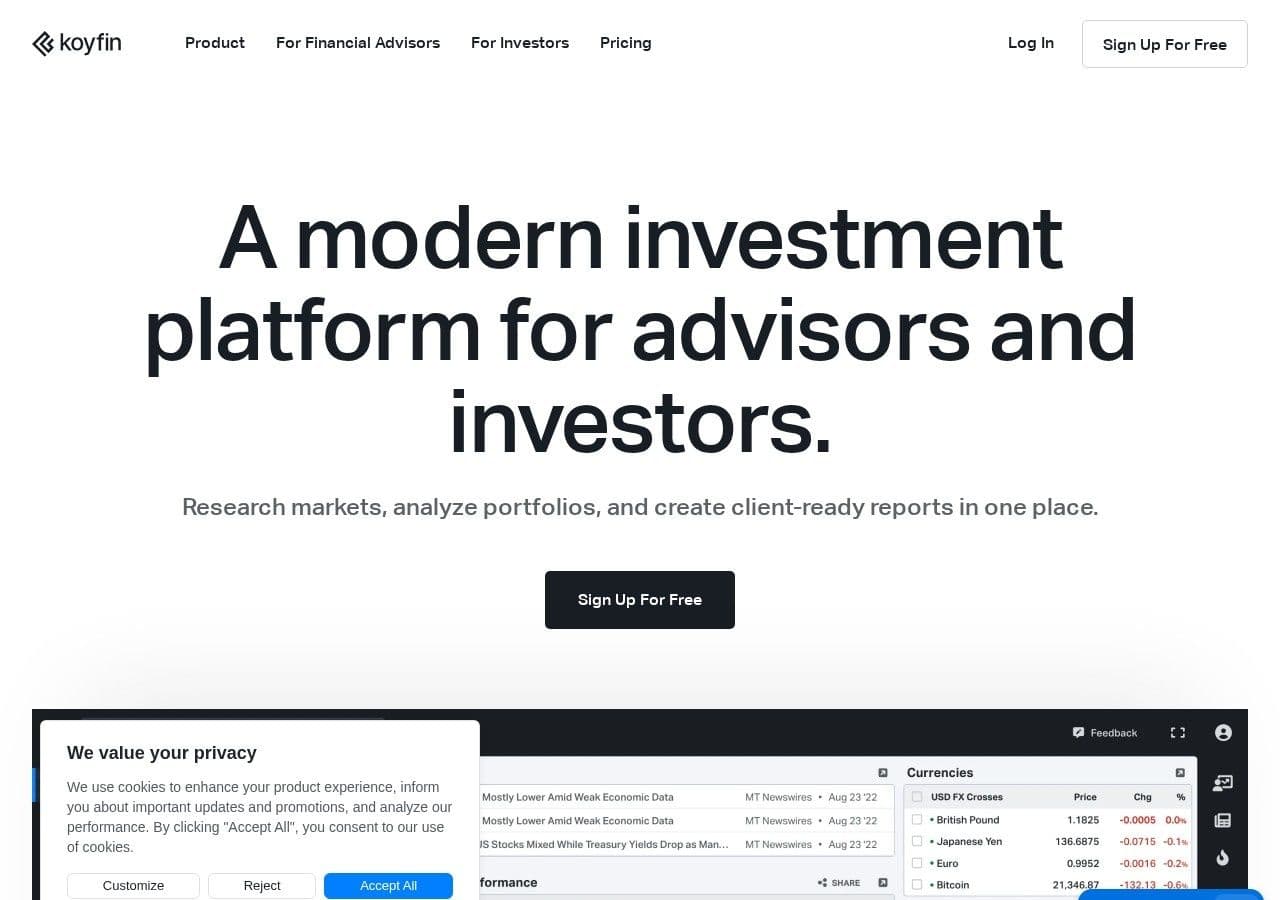
"You don't need tradingview plus. I use free and have access to everything I need for trading." That was one reply when a beginner on Reddit's r/Trading asked whether people "really pay over £200" for a charting subscription (February 2026).
The reply is broadly right. A beginner in London or Dubai can learn to read forex and gold charts without paying anyone. But every free platform is paid for somehow: with adverts, delayed prices, tight limits, or the spread on trades you place later. In the UAE, "trading view free" was a breakout search this year (Google Trends, 12 months to October 2026), so plenty of people are asking the same question.
Quick answer: For most UK and UAE beginners, TradingView's free Basic plan is the best free charting software: forex and gold feeds from brokers are real-time and free, and paper trading is included. An MT5 or cTrader demo account is the best free way to practise on the prices a broker actually quotes. Investing.com, Koyfin and Finviz are useful for news and research but weak for setting forex or gold stops. If you want to see a finished plan drawn on a live chart, and practise it on paper, Systemly's free plan does that for the major pairs and gold.
Systemly publishes this comparison. We have tried to be fair, and every competitor fact below is sourced and dated 13 October 2026.
The four prices of "free"
The common mistake is to compare free platforms only by what they include. The consequence is choosing one whose hidden cost lands at the worst moment, such as a delayed price on the morning you place your first real trade. Think of it like a free gym trial: the machines are real, but the trial ends, the classes are limited, and someone is hoping you will sign up for the full membership.
Free charting has four hidden prices:
- Adverts and upgrade prompts. A third-party plan comparison says TradingView's free plan shows ads. StockBrokers.com lists frequent upgrade prompts among its drawbacks. One Trustpilot reviewer wrote: "I get warnings every minute on most days telling me that I have an ad blocker enabled" (11 June 2026). Investing.com draws similar complaints.
- Delayed or indicative data. Finviz's free stock quotes are delayed one minute. London Stock Exchange prices on TradingView are delayed 15 minutes unless you pay. Investing.com says its data "is not necessarily real-time nor accurate".
- Limits. Free tiers cap indicators, alerts, charts and history. Most limits do not matter to a beginner. One or two will.
- Someone else's revenue model. MT5 and cTrader are free because brokers license them and earn from your spreads and commissions when you trade live. Ask the same question of free forex signals.
None of these is a scandal. They are simply the price of a free product, and you should know which one you are paying.
The best free charting platforms at a glance
- TradingView Basic: What the free tier gives: Full charts, 2 indicators, 3 price alerts, paper trading; Main limit: 1 chart per layout; alerts expire after a month; Data for forex and gold: Broker feeds real-time and free; Ads: Yes, per a third-party comparison; Best for: Learning to read charts
- MT5 demo: What the free tier gives: Full platform with virtual money; Main limit: About 30 indicators on iOS; Data for forex and gold: Your chosen broker's demo feed; Ads: Not covered here; Best for: Practising on a broker's prices
- cTrader demo: What the free tier gives: Full platform, 28 timeframes; Main limit: Fewer brokers offer it; Data for forex and gold: Broker feed; Ads: Not covered here; Best for: A cleaner practice platform
- Investing.com: What the free tier gives: Charts, news, calendar; Main limit: Data "indicative"; Data for forex and gold: Not for setting stops; Ads: Yes, users complain; Best for: News and the calendar
- Koyfin Free: What the free tier gives: 2 watchlists, 2 screens, 2 dashboards, advanced charting; Main limit: Forex not listed; Data for forex and gold: Weak for forex; Ads: Not covered here; Best for: Investors
- Finviz: What the free tier gives: Stock screener and heatmaps; Main limit: Quotes delayed 1 minute; Data for forex and gold: Minimal for forex; Ads: Not covered here; Best for: US shares
- GoCharting Free: What the free tier gives: 4 charts at once; Main limit: No alerts; Data for forex and gold: CFD and forex data; Ads: Not covered here; Best for: Order-flow curiosity
- ProRealTime (web and mobile): What the free tier gives: Free tier on the vendor page; Main limit: Real-time terms conflict between sources; Data for forex and gold: Several markets; Ads: Not covered here; Best for: Testing a desktop-grade platform
- Systemly free plan: What the free tier gives: A plan's levels drawn on a live chart; paper trading of its plans; Main limit: No chart layers; majors and gold only; up to 3 open paper trades; Data for forex and gold: Live price data; Ads: Not covered here; Best for: Seeing a finished plan, then practising it
1. TradingView Basic: best overall free charting platform
TradingView is a browser, desktop and mobile charting platform and social network. Basic is "$0 forever". On the free plan you get one chart per layout, one saved layout, two indicators per chart, three active price alerts, and 5,000 bars of history. Free alerts expire after a month.
For a forex or gold beginner, the important line is on the data coverage page. Feeds from brokers such as FXCM, FOREX.com, IG, Capital.com and CMC Markets are listed as "Real-time only" and "Free". That is a genuine advantage over sites that delay or average their prices. TradingView also offers paper trading to every user: "a completely risk-free simulator with no fees or catches", with market, limit and stop orders. A third-party review says the default paper balance is $100,000, a trap we explain in is TradingView a broker, and is it safe?
The free plan's walls are worth knowing in advance. Two indicators is a hard limit, though, as our article on analysis paralysis and too many indicators argues, two is plenty. Three alerts is tight if you watch several markets. Bar Replay, which lets you replay old price action, has no minute data on Basic.
If you do upgrade, here is the first paid step, Essential, on annual billing, with VAT:
- UK (20% VAT): Annual price: $155.40; VAT: $31.08; Total: $186.48
- UAE (5% VAT): Annual price: $155.40; VAT: $7.77; Total: $163.17 (AED 599.24)
The UAE dirham figure uses the fixed peg of AED 3.6725 to the dollar: $163.17 × 3.6725 = AED 599.24. Whether TradingView bills in pounds or dirhams is unverified. Our TradingView free vs paid breakdown goes limit by limit.
Where it falls short: one Trustpilot reviewer complained that "if you are not a paying member your watchlist will be limited and locked" (11 September 2026). The UK App Store still rates the app 4.8 from about 50,000 ratings.
2. MT5 demo: best free way to practise on real broker prices
MetaTrader 5 is a trading terminal that brokers license from MetaQuotes and give to clients free. You do not need a live account to use it. MetaQuotes' help page says: "Demo accounts provide the opportunity to work in a training mode without real money, allowing to test a trading strategy." It adds that "demo accounts can be opened without any investment" and, honestly, that "one cannot expect to profit from them". You can create one from the File menu or the Navigator window.
The value of an MT5 demo is that it shows a broker's own quotes, spreads and server time. Many brokers set server time to GMT+2 in winter and GMT+3 in summer, so for most of the year the daily candle closes at 22:00 UK time, which is 01:00 in Dubai in summer and 02:00 in Dubai from 1 November 2026. Learning that on a demo saves confusion later. Our guide to why broker charts and charting platforms show different prices explains why it matters.
The limits are on mobile. MT5 on iOS has "about 30 indicators", and custom MQL5 indicators "do not run on iOS" (Volity, July 2026).
3. cTrader: best free practice platform with a modern interface
cTrader, from Spotware, is free to use through the brokers that offer it. FxPro's review lists "28 timeframes from one second through to monthly", 55+ indicators and 65 drawing tools. It scores 4.8 on Trustpilot from 3,449 reviews, with one reviewer writing that "charting is excellent" (5 October 2026). Fewer brokers offer cTrader than MT5, and UAE-licensed brokers offering it were not confirmed in our research.
4. Investing.com: best free source of news beside a chart
Investing.com combines free charts, an economic calendar and news, and runs an Arabic edition. Its UK App Store rating is 4.7 from 7,300 ratings. The catch is its own data warning on the XAU/USD page: prices are "indicative and not appropriate for trading purposes". Ads are a common complaint: "so many annoying ads all the time" (Trustpilot, 11 August 2026). Use it for the calendar and the headlines. Set stops elsewhere.
5. Koyfin Free: best for investors
Koyfin's free tier includes two watchlists, two screens, two dashboards and "Advanced charting". Forex is not mentioned on its pricing page. It suits a beginner who mostly wants to understand shares and funds, not intraday gold.
6. Finviz: best free stock screener, not a forex tool
Finviz is a US share screener with heatmaps. Free quotes are "delayed 1 minute for NASDAQ, NYSE and AMEX", and even paid futures data is delayed 20 minutes. It is excellent for browsing US shares and adds little for forex or gold.
7. GoCharting Free: best for a look at order-flow tools
GoCharting is a browser charting platform with order-flow tools such as footprint charts. Its free plan allows four charts at once and no alerts. Paid prices were not shown when our researchers checked.
8. ProRealTime free: worth a test, with a caveat
ProRealTime's own pricing page lists a free tier for web and mobile, with paid tiers from $32 a month excluding VAT. A third-party review says the free tier is end-of-day only, which conflicts with the vendor page. Check what data you get before relying on it. UK readers who already spread-bet with IG can also use it through IG, free for the first month.
9. Systemly free plan: best for seeing what a finished plan looks like
Systemly (systemly.ai) is a UK-built forex and gold trade-planning app that turns live price data into a complete trade plan, with entry, stop, targets, position size and plain-English reasoning, and teaches the terms in a built-in academy of 32 courses.
It is not a free charting platform in the same sense as the others. A charting platform is a blank canvas. Systemly is the same kind of chart with the plan already drawn on it, the next step counted down, and an honest "no trade" when there isn't one.
On the free plan you can scan the major forex pairs (EUR/USD, GBP/USD, USD/JPY, USD/CHF, AUD/USD, USD/CAD and NZD/USD) and gold. The plan's levels are drawn on a live chart, and a numbered moves card says what to do at each step. The chart layers, meaning swings, sessions, and fair value gaps and inverse gaps, start on Starter. New accounts below Plus get their first plan as a Plus preview, which includes the layers and the TradingView export. Up to three "no trade" answers a day do not use up a plan, and part of the Academy is free.
The free plan also includes paper trading. You can place a plan as a paper trade, with up to 3 open at once, at a balance you set in pounds, dollars or euros, filled on real prices with real spreads and costs. It narrows the gap between forex theory and practice without risking money, though paper results do not predict live ones.
What it will not do: it will not let you draw freely, script, or screen hundreds of markets. For those, use TradingView Basic alongside it.
When to practise, in UK and Dubai time
Free platforms all share one limit you cannot pay to remove. The forex market is closed at weekends, so a Saturday on a demo account teaches you very little. On the common convention, the week opens at about 22:00 Sunday UK time (21:00 on Sunday 25 October, the out-of-sync week), which is 01:00 Monday in Dubai while the US is on summer time and 02:00 Monday from 1 November 2026.
The busiest window for practice is the London and New York overlap:
- Until 24 October 2026: UK time: 13:00 to 17:00; Dubai time: 16:00 to 20:00
- 25 to 31 October 2026: UK time: 12:00 to 17:00; Dubai time: 16:00 to 21:00
- From 1 November 2026: UK time: 13:00 to 17:00; Dubai time: 17:00 to 21:00
To check the Dubai summer figure: 13:00 in London on BST is 12:00 UTC, and Dubai is UTC+4, so it is 16:00. The odd week in late October happens because the UK changes its clocks on 25 October and the US on 1 November. For a Dubai trader, the winter overlap starts after UAE federal government hours end at 15:30, which suits practice after work. Our forex sessions and market hours guide has the full table.
A four-week free setup for a beginner
- Week one: use TradingView Basic. Draw the last swing high and swing low on gold and EUR/USD every day. Add a session indicator set to "Europe/London" and "America/New_York", not a fixed offset.
- Week two: open TradingView's paper trading and place one practice trade a day. Write your stop and target before you enter.
- Week three: create an MT5 or cTrader demo and compare its gold price and daily candle with TradingView's. Note the differences.
- Week four: compare your own plan with a Systemly free plan on the same market, place it as a paper trade at your real account size, and check the lot size with the free Risk Doctor.
Our guide to the best way to learn forex in the UK puts this inside a longer learning plan, and our BabyPips alternatives list covers free courses.
Where TradingView is the better choice
TradingView Basic is the better free choice for almost every charting job: drawing, studying many markets, comparing feeds and paper trading any order you like. A broker's MT5 or cTrader demo is the better choice for learning how a real broker's prices, spreads and server time behave. Systemly's free plan does neither of those. It shows you what a complete, sized plan looks like and lets you practise that plan on paper, which is a different lesson.
How we compared
We read each platform's own pricing, data and help pages, plus app-store listings, Trustpilot and independent reviews, up to 13 October 2026. Where a free tier's terms conflict between sources, as with ProRealTime, we say so. VAT arithmetic uses 20% for the UK and 5% for the UAE, and dirham conversions use the fixed peg of 3.6725. Session times were calculated from the UK, US and Dubai clock rules. Free tiers change often, so check before you rely on one.
For the opposite question, which paid platform is worth it, see our best charting platforms in the UK and best charting apps for gold in the UAE.
FAQ
What is the best free charting software for beginners?
For most UK and UAE beginners, TradingView's free Basic plan is the best free charting software. Broker forex and gold feeds are real-time and free, and paper trading is included. The limits are two indicators per chart, one chart per layout and three price alerts that expire after a month, which is enough for learning.
Is TradingView really free?
Yes. TradingView Basic is listed at "$0 forever". It is paid for by adverts, according to a third-party plan comparison, and by upgrade prompts towards paid plans. Paid plans add more indicators, alerts and charts. In the UK, VAT at 20% is added to paid plans, and in the UAE, VAT at 5%.
Can I practise forex trading for free?
Yes. TradingView offers free paper trading to every user, and MetaTrader 5 lets you create a demo account with virtual money from inside the platform. MetaQuotes says demo accounts "can be opened without any investment" and that "one cannot expect to profit from them". Systemly's free plan also lets you place its plans as paper trades, up to 3 open at once, at a balance you set. Practise when the market is open, ideally during the London and New York overlap.
Is Investing.com good enough for gold charts?
It is good for news, the economic calendar and a quick look. It is not good for setting stops, because its own XAU/USD page says prices are "indicative and not appropriate for trading purposes" and that the data "is not necessarily real-time nor accurate". Check levels on a broker's chart before trading.
What does free charting software cost in the UAE?
The free tiers cost nothing in the UAE either. If you upgrade TradingView, its dollar prices carry 5% UAE VAT. A year of Essential at $155.40 becomes $163.17, or AED 599.24 at the fixed peg of 3.6725. Whether TradingView shows dirham prices to UAE users is unverified.
When is the best time to practise on a demo in Dubai?
The London and New York overlap is usually the busiest period. In Dubai time it runs from 16:00 to 20:00 until 24 October 2026, 16:00 to 21:00 from 25 to 31 October, and 17:00 to 21:00 from 1 November. The forex market is closed at weekends, so weekend practice shows little movement.
What does Systemly's free plan include?
Systemly's free plan covers the major forex pairs and gold. It draws a plan's levels on a live chart, with a numbered moves card, or says "no trade" with the failed checks listed. It can place plans as paper trades. Chart layers such as sessions and fair value gaps start on Starter, and part of the Academy is included free.
Start free, and see a finished plan
Learn the chart on a free platform, then open a market on Systemly and press Generate to see a finished plan on the same kind of chart. You can also browse community plans or sign up free. Our article on what free forex signals really cost covers the signal side of "free".
Sources
- r/Trading: is TradingView Plus worth it (snapshot)
- Google Trends, 12 months to October 2026 (our own search data)
- Friend of the Trend plan comparison
- StockBrokers.com: TradingView review
- TradingView on Trustpilot
- TradingView on Trustpilot, page 3
- Finviz Elite
- TradingView data coverage
- Investing.com XAU/USD chart
- TradingView pricing
- TradingView paper trading
- TradingView Bar Replay help
- TradingView help: tax on your bill
- GOV.UK VAT rates
- FAB: UAE VAT
- Wikipedia: United Arab Emirates dirham (peg)
- TradingView on the UK App Store
- MetaTrader 5 help: opening an account
- VT Markets: server time
- Volity: MetaTrader 5 iOS
- FxPro cTrader review
- cTrader on Trustpilot
- Investing.com on the UK App Store
- Investing.com on Trustpilot
- Koyfin pricing
- GoCharting pricing
- ProRealTime pricing
- ChartingLens: ProRealTime alternatives
- IG ProRealTime
- BabyPips: forex trading sessions
- Trade Nation: what time does the forex market open
- Khaleej Times: UAE working week
- TradingView help: trading sessions
Trading forex and CFDs carries a high risk of losing money, and most retail accounts do. Systemly is an educational and trade-planning tool. It does not provide financial advice or personal recommendations, and it is not authorised by the FCA or licensed in the UAE to do so. Past outcomes do not predict future results.